
Revolutionizing automated defect detection and smart manufacturing through Deep Learning and Edge AI.
Robopipe Studio is an open-source software designed for capturing and processing image data, labeling images, and training and deploying offline machine learning models on Edge-Compute hardware (Luxonis). It provides a user-friendly interface for managing image datasets, annotating images, and building offline computer vision applications.
Operators can label and fine-tune datasets using an intuitive interface, specifically engineered to handle complex, non-rigid products where traditional rule-based vision systems fail. Optimized models are deployed via robopipe API to Edge-Compute hardware (Luxonis) for real-time inference in manufacturing processes.
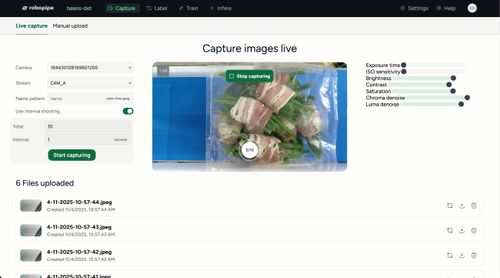 Capture Capture |
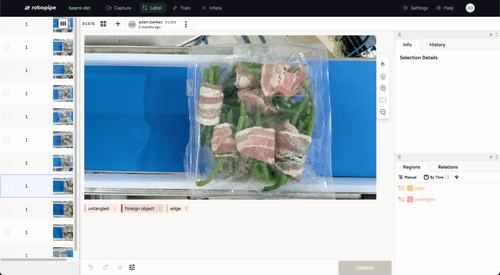 Label Label |
|---|---|
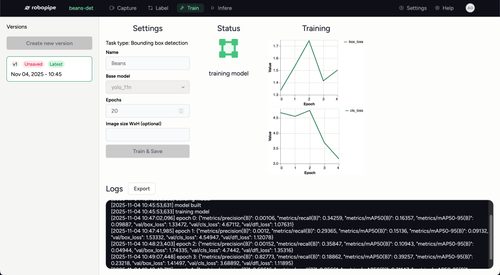 Train Train |
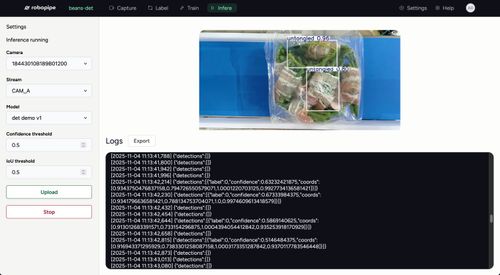 Infer Infer |
To learn more about Robopipe Studio, please visit the Robopipe Documentation.
- Docker
-
Clone the repository:
git clone https://github.com/Robopipe/Studio.git
-
Build the Docker image:
cd Studio
docker build -t robopipe-studio .
-
Run the Docker container:
docker run -p 8000:8000 robopipe-studio
- Python 3.8 or higher
- Git
-
Clone the repository:
git clone https://github.com/Robopipe/Studio.git
-
Navigate to the project directory:
cd Studio -
Install the required dependencies:
a) Install dependencies for API:
 python3 -m venv .venv
 source .venv/bin/activate
 python3 -m pip install poetry
 poetry install
 python3 label_studio/manage.py collectstatic
(optional) Install base NN models:
python3 label_studio/manage.py installmodels --all
b) Install dependencies for Frontend:
cd web yarn install -
Build the frontend:
yarn ls:build
-
Run the application:
cd ..
python3 label_studio/manage.py runserver
Robopipe values all your feedback. If you encounter any problems with the app, please open a GitHub issue for anything related to this app - bugs, improvement suggestions, documentation, developer experience, etc.
Join our Robopipe subreddit to share your apps, ask any questions regarding Robopipe, get help debugging your apps, or simply to read more about Robopipe from our users.